How to Manage Multiple Booking.com Listings from One Dashboard
Connect all your Booking.com listings to a single, unified dashboard. Sync rates, availability, and bookings in real time alongside all your other channels.
See HolsUK in Action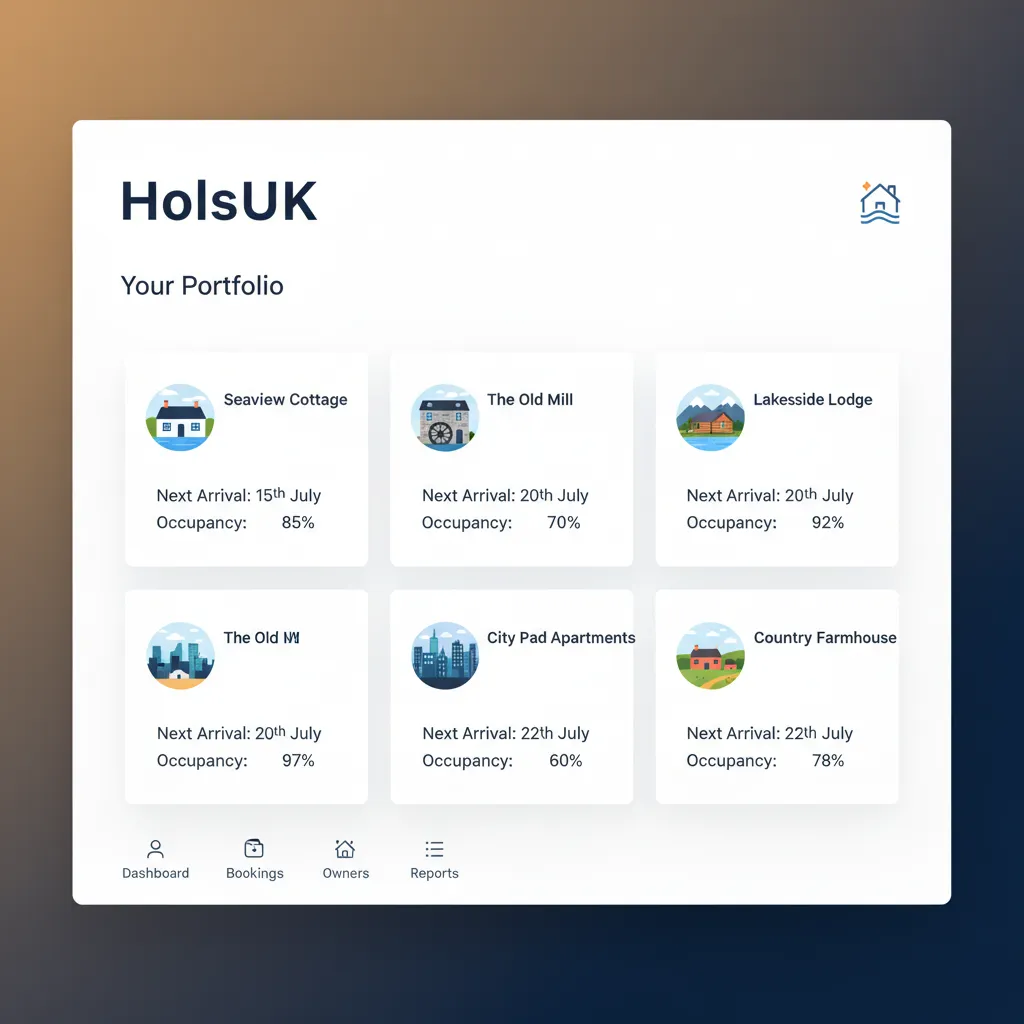
The Daily Grind of Managing Separate Booking.com Listings
If you manage a portfolio of properties, you know the drill. Five cottages in the Cotswolds means five separate logins for the Booking.com extranet. Each time you want to adjust pricing for a bank holiday, you repeat the same task five times. Each time a booking comes in from your direct website or Airbnb, you race to manually block the dates in five different calendars, hoping you’re quick enough to prevent a double booking. This manual process is not just time-consuming; it’s a significant business risk. A single mistake—a missed calendar block, an incorrect rate entered during a late-night admin session—can lead to a costly double booking, a cancelled reservation, and a negative review that damages your reputation. Getting a clear overview of your business performance is another challenge. How much revenue did the portfolio generate last month? What’s your combined occupancy rate? Answering these questions requires stitching together data from multiple extranet accounts, a task that often involves cumbersome spreadsheets and guesswork. The core issue is a lack of a single source of truth. Each Booking.com listing operates in its own silo, completely unaware of the others. This forces you to be the human link, constantly copying and pasting information, which is an inefficient and error-prone way to run a professional hospitality business. The time spent on this repetitive admin is time you can't spend on guest experience, marketing, or strategy. This is the fundamental challenge for anyone wondering how to manage multiple Booking.com listings from one dashboard effectively.
A Single Dashboard for All Your Properties and Channels
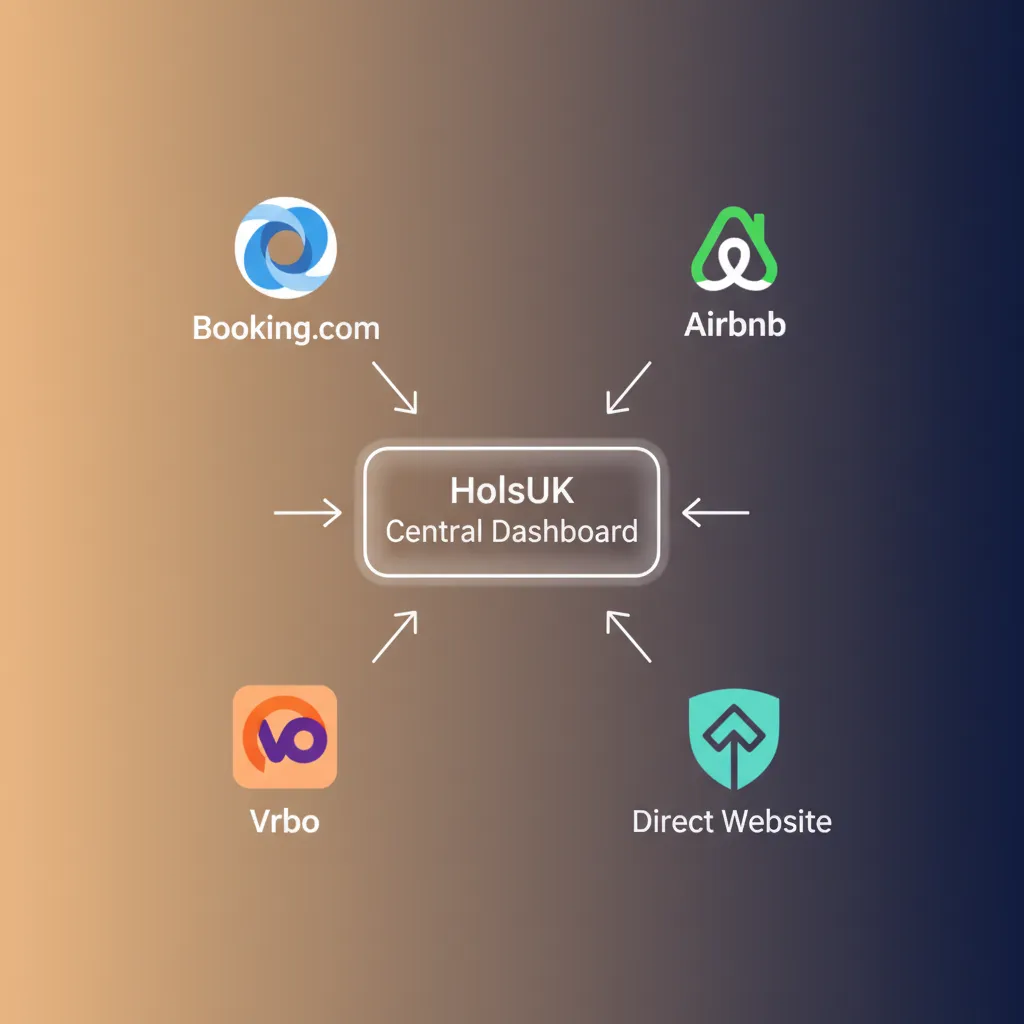
HolsUK provides the definitive solution for managing multiple Booking.com properties by replacing manual chaos with automated synchronisation. We connect directly to your Booking.com account(s) via a robust, two-way API. This isn't a flimsy iCal link; it's a deep integration that treats HolsUK as the central command centre for your business. Here’s how it works: You connect each of your Booking.com property listings to your HolsUK dashboard. From that moment on, HolsUK becomes your single source of truth. When you update your availability, change a rate, or set a minimum stay rule in HolsUK, that information is instantly and automatically pushed to every connected Booking.com listing. It also syncs with your other channels like Airbnb, Vrbo, and your HolsUK-powered direct booking website. When a booking is made on any channel—whether it’s one of your Booking.com listings or elsewhere—the HolsUK master calendar is updated immediately. It then instantly blocks those dates across all other channels, completely eliminating the possibility of double bookings. This real-time, two-way synchronisation is the key to how to manage multiple Booking.com listings from one dashboard without the risk and wasted effort. You no longer need to log in to the Booking.com extranet for day-to-day rate and availability management. Instead, you have one unified calendar, one set of rates to manage, and one clear view of your entire operation.
The Practical Advantages of a Unified Dashboard
Eliminate Double Bookings Permanently
The constant fear of a double booking vanishes. Our API-level integration ensures that when a guest books your Snowdonia cabin on Booking.com, those dates are instantly blocked on Airbnb, Vrbo, and your direct booking site. This real-time, two-way sync is far more reliable than slow and limited iCal feeds, giving you the confidence to list your properties on multiple channels without risk. This protects your revenue, your guest relationships, and your hard-earned reputation on all platforms.
Reclaim Hours of Administrative Time
Stop spending your evenings updating multiple calendars. Need to apply a 10% price increase for the summer holidays across your portfolio of five holiday lets in Cornwall? Do it once in HolsUK, and it's done everywhere. A single change in our dashboard propagates to all your connected Booking.com listings and other channels automatically. Many hosts find they save several hours every single week, freeing them up to focus on growing the business rather than just running it.
Implement Smarter, Portfolio-Wide Pricing
Managing rates across a portfolio becomes a strategic exercise, not a chore. With HolsUK, you can easily select multiple properties and apply bulk rate adjustments in minutes. React to local events, adjust for seasonal demand, or create last-minute offers across your entire inventory with a few clicks. This agility allows you to optimise your pricing strategy effectively, ensuring you're never leaving money on the table by failing to update a listing's rates in time.
Gain a Consolidated View of Your Business
Ditch the spreadsheets. Our dashboard provides a unified view of your business performance. See total revenue, occupancy rates, and booking sources across all your properties and all your channels in one place. Understand which channels are performing best and identify trends without manually compiling data from different sources. This consolidated reporting is essential for making informed decisions about marketing spend and business strategy, turning raw data into actionable insights.
Grow Your Channel Mix with Confidence
A centralised system gives you the operational backbone to expand your marketing reach. Want to add your glamping pods to Pitchup or a city-centre flat to Vrbo? With HolsUK, adding a new channel doesn't multiply your workload. Because all availability and rates are managed from one place, you can confidently list on new platforms to attract different guest segments, knowing that your master calendar will prevent any booking conflicts. This makes diversification a simple growth tactic, not an administrative nightmare.
The Tools You Need for Centralised Control
Full API Channel Manager
Our core is a powerful two-way API channel manager. This isn't just a calendar sync. We synchronise rates, availability, bookings, and restrictions (like minimum night stays) in real time between HolsUK and major channels including Booking.com, Airbnb, and Vrbo. When you make a change in HolsUK, it's reflected on the OTA. When a booking happens on the OTA, it's reflected in HolsUK. This seamless flow of information is what makes centralised management possible and reliable.
Unified Multi-Property Calendar
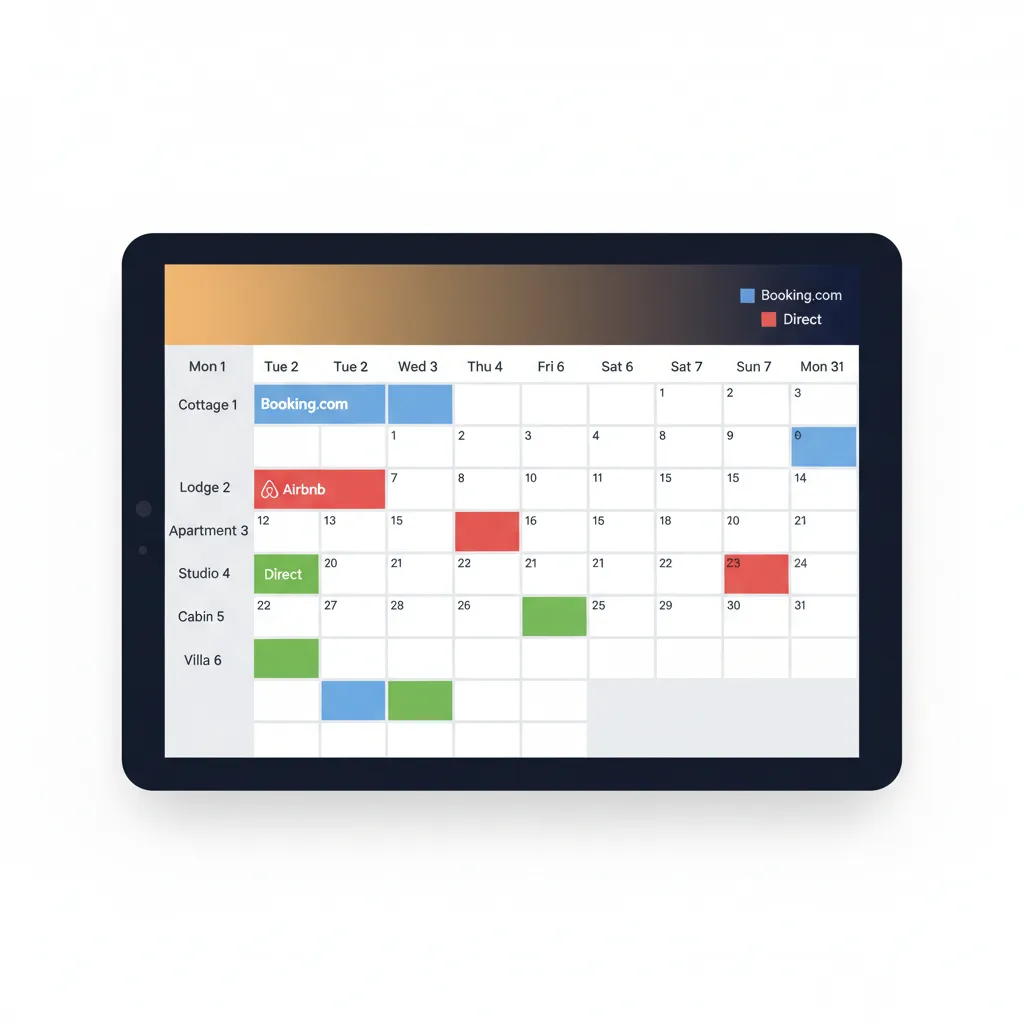
See your entire portfolio at a glance. Our unified calendar displays all bookings for all properties on a single, colour-coded screen. You can quickly see which property is booked, which channel the booking came from (e.g., Booking.com, Airbnb, Direct), and identify gaps in your availability. This master view is your primary tool for understanding your business's occupancy and making manual adjustments with confidence, knowing any change will sync everywhere.
Centralised Guest Messaging
Stop switching between the Booking.com Pulse app, the Airbnb app, and your email inbox. The HolsUK unified inbox consolidates all guest communication into a single thread per booking, regardless of the source. You can create and use message templates to automate replies for common questions about check-in, Wi-Fi codes, or local recommendations, saving time and ensuring a consistent, professional service for every guest.
Integrated Direct Booking Engine
Every HolsUK account includes a commission-free direct booking website. This site is fully integrated with your unified calendar and rates, offering guests a simple way to book with you directly. By driving repeat guests or social media followers to your own site, you can capture bookings without paying OTA commissions. Payments are handled securely via our Stripe integration, providing a seamless experience for both you and your guests.
Bulk Rate and Restriction Rules
Manage your pricing efficiently across your entire portfolio. Our rate management tools allow you to select groups of properties and apply changes in bulk. Increase all weekend rates by £50, set a 3-night minimum stay for a bank holiday, or close out availability for owner maintenance across all your listings in just a few clicks. This powerful feature saves an enormous amount of time and prevents pricing inconsistencies between your properties.
Automated Payments & Reporting
Streamline your finances. HolsUK integrates with Stripe to automate payment collection for your direct bookings. Our reporting dashboard consolidates financial data from all your channels, giving you a clear picture of your revenue, channel commissions, and net income. Track performance by property, by channel, or for the entire portfolio over any time period to understand exactly how your business is performing without wrestling with spreadsheets.
Who Uses HolsUK for Multi-Property Management
The Multi-Cottage Owner in the Peak District
Sarah owns three charming cottages near Bakewell. She lists them on Booking.com and her own website. Before HolsUK, changing her seasonal rates was a tedious, error-prone task she had to repeat three times. Now, she uses the bulk rate editor in HolsUK to update all three properties simultaneously. When a direct booking comes in, her Booking.com calendars are blocked instantly, giving her peace of mind and saving her several hours of admin each month.
The City Apartment Manager in Edinburgh
David manages a portfolio of eight modern apartments in central Edinburgh for several different owners. His biggest challenge was providing clear, individual performance reports to each owner. With HolsUK, he can filter the reporting dashboard by property to show specific revenue, occupancy, and channel data. This allows him to generate professional monthly statements quickly, demonstrating his value and keeping his clients informed without spending days buried in spreadsheets from multiple Booking.com extranets.
The Glamping Site Operator in Snowdonia
Aled runs a site with six glamping pods, listed on Booking.com, Pitchup, and Cool Camping. The high volume of weekend bookings meant double bookings were a constant worry. By connecting all his channels to HolsUK, he created a single, unified inventory. A booking on Pitchup for two pods instantly updates the availability on Booking.com from six down to four for those dates. This automated, real-time sync is critical for managing divisible inventory across different OTAs.
The Holiday Park on the Norfolk Broads
A holiday park with 20 static caravans of identical types used to manage them as a single 'room type' on Booking.com. Using HolsUK, they can manage each caravan as an individual unit. This gives them granular control to block off specific units for maintenance, while our system automatically maps the total available units back to the Booking.com listing. This provides greater operational flexibility without complicating their primary sales channel.
HolsUK vs. Manual Management
Relying on the Booking.com extranet and iCal syncs may seem free, but the hidden costs in time, errors, and lost revenue are significant. Here’s a practical comparison.
| Feature | HolsUK | Typical alternatives |
|---|---|---|
| Booking.com Sync | Full two-way API sync for real-time updates of rates, availability, and bookings. | Manual updates in each extranet, or a slow, one-way iCal sync that only blocks dates. |
| Double Booking Risk | Virtually eliminated. Bookings instantly block availability across all channels. | Extremely high. Relies on you being fast and accurate with manual calendar updates. |
| Rate Management | Update rates for all properties and channels from one dashboard, using bulk tools. | Log in to each Booking.com listing individually to make price changes. Time-consuming and inconsistent. |
| Consolidated Reporting | A single dashboard shows revenue and occupancy for your entire portfolio. | Requires manually exporting data from each listing and combining it in a spreadsheet. |
| Guest Messaging | One unified inbox for messages from Booking.com, Airbnb, and other channels. | Juggling multiple apps and email accounts to reply to guests. |
| Cost Structure | Simple, transparent commission on confirmed bookings. No monthly fees or lock-in contracts. | Free, but costs hours of your time and carries high risk. Other software often has steep monthly fees per property. |
Frequently Asked Questions
How does HolsUK connect to my Booking.com listings?+
We use Booking.com's official API for connectivity providers. During setup, you authorise HolsUK within your Booking.com extranet. This creates a secure, two-way connection that allows our platform to send and receive information like rates, availability, and bookings automatically. It's a robust integration designed for professional property management. We become your 'channel manager' in the extranet, meaning HolsUK is the designated system for managing your inventory. The setup is a straightforward, one-time process our team can guide you through, ensuring all your properties are correctly linked and synchronised from the start.
Is a HolsUK connection different from an iCal sync?+
Yes, it is fundamentally different and far superior. An iCal sync is a simple, one-way link that only blocks out dates on a calendar. It's often slow to update (sometimes taking hours) and cannot sync any pricing or booking restriction information. Our API connection is two-way and instantaneous. It syncs rates, availability, minimum stay rules, and booking details. This means you get real-time protection against double bookings and can manage your entire commercial strategy from one place, which is impossible with iCal alone. For professional management, an API connection is the only reliable option.
What happens to my existing bookings when I connect to HolsUK?+
Your existing business is safe. When you connect your Booking.com account to HolsUK, we automatically import all your future bookings. This ensures your HolsUK master calendar is completely accurate from the moment you start with us. There is no need to re-enter booking data manually. The transition is designed to be seamless, so your calendar is correct, no dates are accidentally opened, and you can begin managing everything from our dashboard immediately without any disruption to your confirmed reservations or guest arrangements. Your past bookings are also typically imported for reporting history.
Can I still use the Booking.com extranet?+
Yes, but your workflow will change. Once HolsUK is your channel manager, all rate and availability updates must be made within the HolsUK dashboard to maintain it as the single source of truth. Making changes directly in the extranet can cause sync conflicts. However, the extranet remains essential for tasks HolsUK doesn't control, such as updating your listing's photos, descriptions, policies, and responding to Booking.com guest reviews. Think of HolsUK for day-to-day commercial management and the extranet for static content management.
How do you handle multiple room types for one property on Booking.com?+
Our system is flexible. Within HolsUK, you create your properties or units. We then 'map' these units to the corresponding 'room types' or 'rate plans' you have set up in Booking.com. For example, if you have a hotel with 'Standard Double' and 'Superior Double' rooms on Booking.com, we map them to the corresponding room groups in HolsUK. This allows you to manage availability and rates from our dashboard, and we ensure it syncs to the correct listing configuration on Booking.com, preserving the detailed setup you've already created.
How much does it cost to manage my properties with HolsUK?+
HolsUK operates on a simple, success-based commission model. We charge a small commission fee only on the value of confirmed bookings that we process. There are no setup fees, no monthly subscription charges, no tiered plans, and no lock-in contracts. This means our service costs you nothing until you start getting bookings. This model aligns our success with yours—we only make money when you do. It's a transparent and risk-free way to access powerful management tools without the high upfront or recurring costs of other property management software.
Ready to Centralise Your Booking.com Management?
Stop wasting time and risking costly errors by juggling multiple logins. HolsUK gives you a single, powerful dashboard to manage all your properties across all your channels. Take control of your business, eliminate double bookings, and reclaim your time. See how it works by connecting with our team today.
Get Started with HolsUK