A Unified Inbox for Airbnb, Booking.com and Direct Bookings in the UK
Stop switching between Airbnb, Booking.com, and your email. Manage every guest conversation from a single, organised inbox.
See How It Works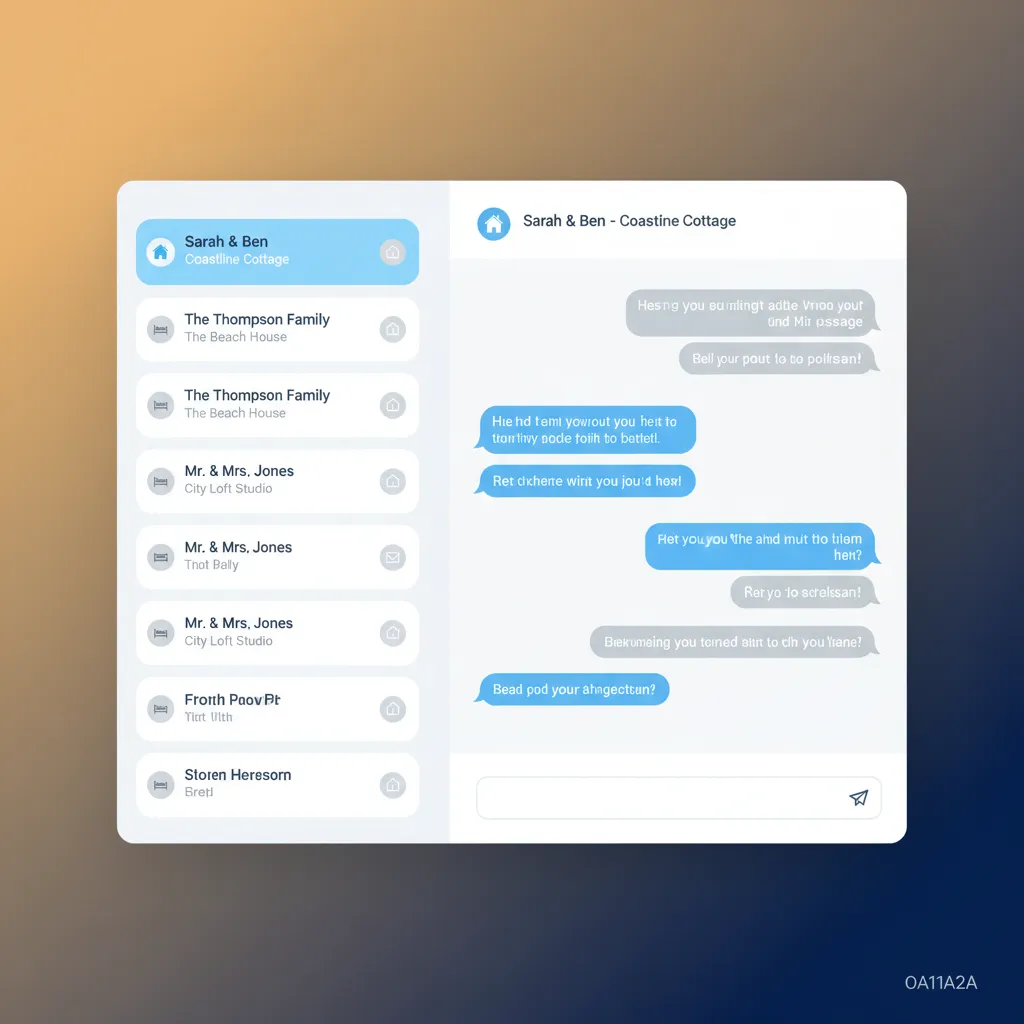
The Daily Scramble of Guest Communication
It’s 8 PM. You’re trying to relax, but your phone is a notification minefield. An Airbnb guest messaging about a broken kettle in your York apartment. A Booking.com guest asking for the key safe code for your cottage in the Peak District, but their check-in isn't for two days. An email enquiry from a potential direct booking for your glamping pod in Pembrokeshire, asking about dog policies. Each message lives in its own silo, demanding your attention and forcing you to switch context constantly. This isn't just inefficient; it's risky. That quick glance at the Booking.com Pulse app on your phone might cause you to miss the urgent Airbnb message. Replying slowly to an enquiry can mean losing a booking to a faster competitor. Forgetting to answer a pre-arrival question damages the guest experience before they’ve even walked through the door. The mental energy spent simply keeping track of who asked what, on which platform, is enormous. You find yourself cross-referencing calendars and booking details just to answer a simple question, wasting precious minutes each time. For operators managing multiple properties, this problem multiplies. You might have a team member who needs access, but you're reluctant to hand over your primary Airbnb login. The result is a communication bottleneck where you become the sole point of contact for everything. This fragmented approach makes it impossible to maintain a consistent standard of service and leaves you, the owner, constantly tethered to your devices.
HolsUK: Your Central Communication Hub
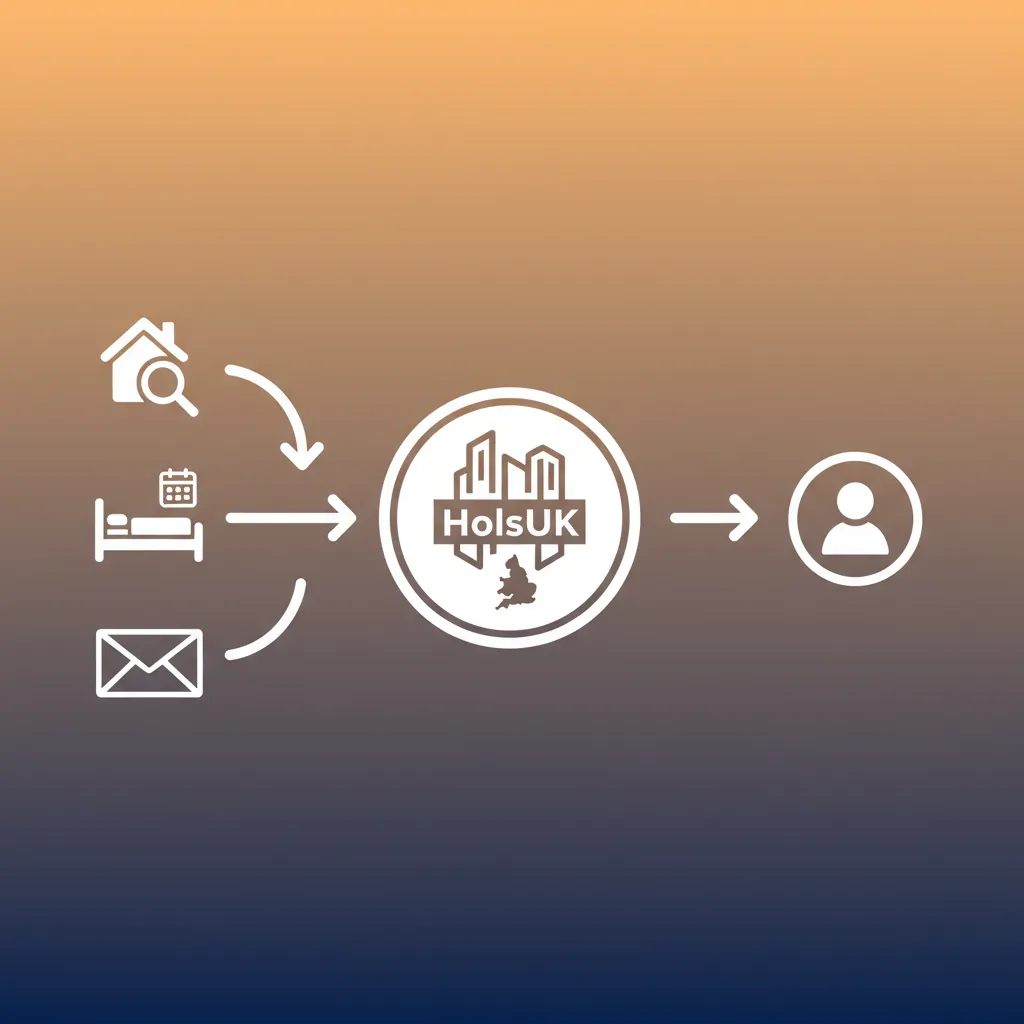
HolsUK replaces the chaos with a single, streamlined system. We provide a genuine unified inbox for Airbnb, Booking.com and direct bookings in the UK, pulling every guest message, enquiry, and booking notification into one central dashboard. No more app-switching. No more missed emails. Just one place to manage all your guest conversations. Our platform connects directly to your Airbnb and Booking.com accounts via their official APIs. When a guest sends a message on either platform, it appears instantly in your HolsUK inbox, clearly tagged with the channel, guest name, and property. You reply from within HolsUK, and your message is sent directly back to the guest through the original platform. They receive it in their Airbnb or Booking.com app as if you'd replied from there. For direct bookings made through your HolsUK-powered website, all communication is handled seamlessly within the same inbox. This isn't just about messages. Your inbox is integrated with our entire platform. When you view a message, you see the full booking context alongside it: check-in/out dates, number of guests, total price paid, and any previous conversations. This allows you to answer questions accurately and instantly, without having to hunt for information. It transforms guest communication from a reactive chore into a proactive, organised, and professional part of your operation.
Why a Unified Inbox Matters for Your Business
Save Hours of Admin Every Week
Think of the cumulative time spent logging in and out of different apps and email accounts. With a unified inbox, that time is reclaimed. All guest communication is in one queue, ready for you to handle efficiently. Many hosts find they can clear their entire message list in a single, focused session each day, rather than being constantly interrupted. This frees you up to focus on optimising your listings, improving your property, or simply taking a well-deserved break, knowing your communications are under control.
Improve Guest Response Times & OTA Ranking
Channels like Airbnb and Booking.com track your response speed. Faster replies not only lead to happier guests but can also improve your visibility in search results. A unified inbox makes it easy to reply promptly from your phone or desktop. By having all messages in one place, you ensure nothing gets missed, helping you maintain a high response rate metric. This simple operational improvement has a direct impact on your booking potential and your reputation as a responsive, professional host.
Reduce Costly Communication Errors
When you're rushing between apps, mistakes happen. You might send the wrong check-in details or miss a guest's request for an extra travel cot. These small errors can lead to negative reviews, which have a long-term financial impact. Centralising messages provides a single source of truth. Every conversation is logged and linked to the correct booking, creating a clear, searchable record. This drastically reduces the chance of miscommunication and provides a safety net if a dispute ever arises.
Deliver a Consistent, Professional Service
Whether a guest books your Lake District shepherd's hut via Airbnb, your own website, or Booking.com, they should receive the same high standard of communication. A unified inbox, especially when combined with saved templates and automated messages, ensures every guest gets timely, polite, and helpful information. This consistency builds trust and reinforces your brand, encouraging repeat bookings and positive word-of-mouth, regardless of the booking source.
Delegate Communication with Confidence
As you grow, you may need help from a virtual assistant or co-host. A unified inbox allows you to grant team members access to guest communications without sharing your personal Airbnb or Booking.com passwords. You can see all sent messages, monitor response quality, and use internal notes to collaborate on guest issues. This empowers your team to handle day-to-day queries, while you maintain full oversight and control of your business.
Everything You Need to Manage Guest Comms
Direct API Channel Integration
Our inbox connects directly with the APIs of major channels, including Airbnb and Booking.com. This isn't a workaround or an email-scraping tool; it's a robust, real-time synchronisation. Messages appear in HolsUK instantly, and your replies are pushed back to the channel's messaging system. This ensures reliable, two-way communication that keeps you in sync with the platforms and your guests at all times. It’s the foundation of a truly unified system.
Saved Message Templates
Stop typing the same answers over and over. Create a library of saved templates for your most common replies. Directions to the property, Wi-Fi passwords, recommendations for local pubs, instructions for the hot tub – have them all ready to send with a single click. You can use placeholders to automatically insert the guest's name or check-in date, personalising your messages without the manual effort. This feature alone is a massive time-saver.
Automated & Scheduled Messaging
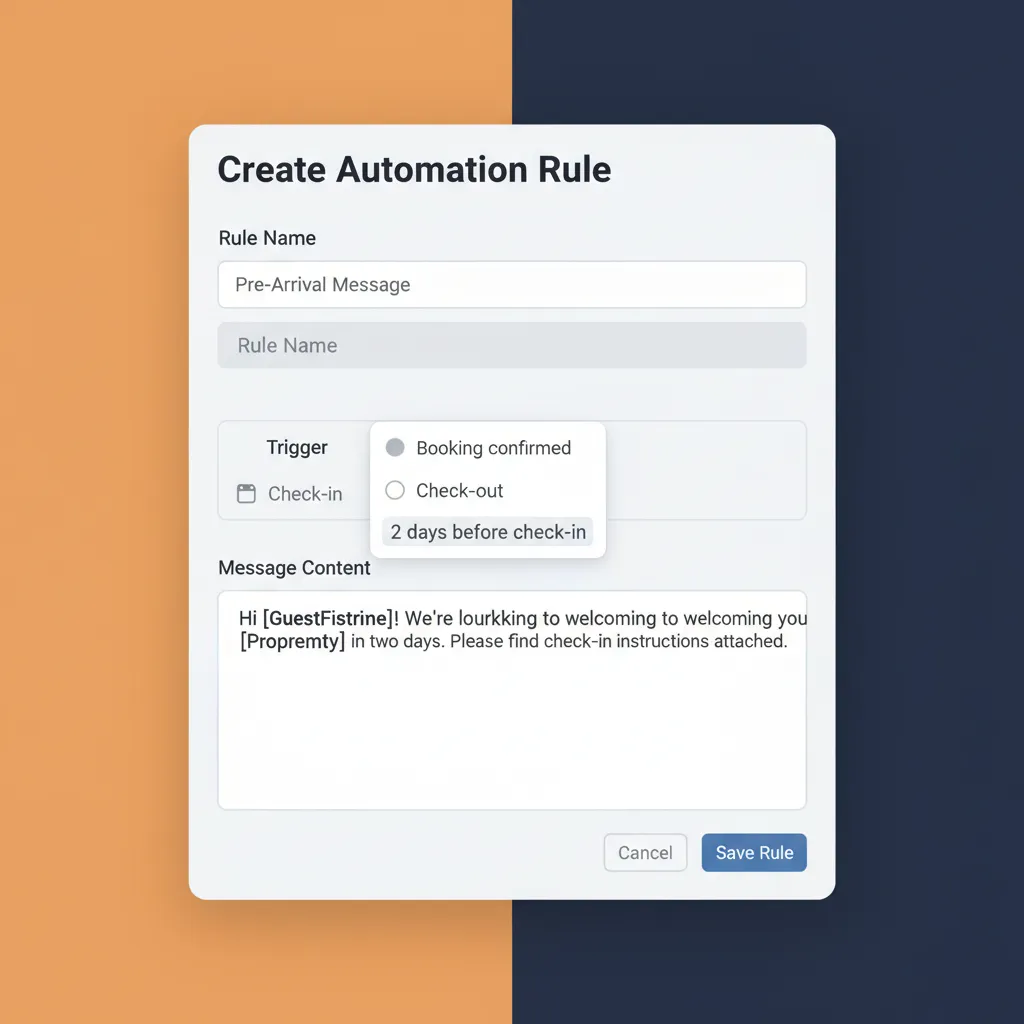
Put your communication on autopilot. HolsUK allows you to create rules that send messages automatically based on booking events. Send a booking confirmation instantly, deliver check-in instructions 48 hours before arrival, send a mid-stay check-up message, or request a review the day after check-out. You set the schedule and the content, and our system handles the rest, ensuring every guest gets the right information at the right time.
Full Conversation History
Every message from every channel is stored against the guest's booking record, creating a complete, chronological history of all communication. Need to check what time a guest said they were arriving last summer? Or confirm you sent the new Wi-Fi code? It’s all there in one searchable feed. This is invaluable for resolving disputes, understanding guest behaviour, and ensuring a smooth handover between team members.
Direct Booking & Email Integration
The inbox isn't just for OTAs. It fully integrates with your HolsUK direct booking website. When a guest books direct or sends an enquiry, the conversation lives in the same unified inbox. We also provide a unique forwarding address, so you can even pull in enquiries from other sources like Pitchup or Cool Camping, ensuring absolutely everything is in one place. This closes the loop and consolidates all your revenue streams.
Internal Team Notes
Collaborate behind the scenes with your team. You can add private notes to any guest conversation thread. Leave instructions for your co-host, flag a guest as a potential VIP for your cleaner, or remind yourself to follow up on a specific request. These notes are only visible to you and your team, providing a space for internal communication that is directly linked to the guest and booking it relates to.
How UK Holiday Let Owners Use HolsUK
The Multi-Property Owner in Cornwall
Sarah owns four holiday cottages near St Ives, listed on Airbnb, Vrbo, and her own direct booking site. Before HolsUK, she spent her mornings just trying to catch up on messages across three different platforms. Now, she logs into one dashboard and sees everything. She uses automated messages for check-in details and saved templates for local restaurant tips, saving her over an hour a day. She can finally focus on marketing her new sea-view property instead of being stuck in her inbox.
The Glamping Site Operator in the Brecon Beacons
Tom runs a site with eight luxury yurts, taking bookings via Pitchup, Cool Camping, and directly. While we don't have direct API links to camping-specific channels, Tom uses our unique forwarding address to route all his Pitchup enquiries into the HolsUK inbox. This, combined with his direct booking messages, means he manages everything in one place. He uses the scheduling feature to send a 'Welcome' text on the morning of arrival, a small touch that gets mentioned constantly in his 5-star reviews.
The Hands-Off Apartment Investor in Edinburgh
David lives in London but owns two rental flats in Edinburgh's Old Town. He uses a local virtual assistant (VA) to manage guest communication. With HolsUK, he gives his VA a login to the unified inbox. The VA can handle 90% of enquiries and guest needs without needing David's Airbnb password. David can quickly review conversations and uses internal notes to give his VA guidance, maintaining full control and visibility from a distance.
The Caravan Park Manager on the Jurassic Coast
A caravan park in Dorset uses HolsUK to manage its 50 static caravans, which are bookable through their direct website. While they don't list on OTAs, their reception team was being overwhelmed by emails asking the same questions. They now use HolsUK's saved templates to answer queries about park facilities, local attractions, and pet policies instantly. The unified inbox gives the entire team visibility on guest communications, so anyone can pick up a conversation where a colleague left off.
How HolsUK Compares to the Alternative
Using a dedicated platform is a significant step up from juggling apps or using basic software that only syncs calendars. Here's a practical comparison for owners looking for a better way to manage communications.
| Feature | HolsUK | Typical alternatives |
|---|---|---|
| Guest Messaging | A single, unified inbox for Airbnb, Booking.com, and direct booking emails. Reply from one screen. | Requires constantly switching between the Airbnb app, Booking.com Pulse app, and your email client. |
| Message Automation | Schedule messages based on triggers like booking confirmation, pre-arrival, and post-departure. | Limited or no automation. Some channels offer basic scheduling, but it's not centralised across all booking sources. |
| Context in Inbox | Each message is shown alongside full booking details, payment status, and guest history. | You have to manually cross-reference the message with your calendar or booking system to get context. |
| Team Access | Grant secure access to the inbox for VAs or co-hosts with internal notes for collaboration. | Often requires sharing primary account passwords, which is a security risk and offers no oversight. |
| Cost Structure | Included as part of our commission-only platform. You only pay for performance, with no fixed monthly fees. | Messaging tools are often expensive monthly subscriptions, or you're stuck with the free, fragmented approach. |
| All-in-One Platform | The inbox is integrated with your calendar, channel manager, direct booking site, and cleaner schedules. | A standalone messaging tool that needs to be cobbled together with other software, creating more complexity. |
Frequently Asked Questions
How exactly does the unified inbox connect to Airbnb and Booking.com?+
Our unified inbox for Airbnb, Booking.com and direct bookings in the UK uses official API (Application Programming Interface) connections. Think of an API as a secure, approved 'bridge' between HolsUK and the booking channel. When you connect your accounts, you authorise us to send and receive messages on your behalf. This means communication is in real-time and fully compliant with the channels' terms of service. It's not a hack or a screen-scraping method; it's the professional, industry-standard way for software like ours to integrate, ensuring reliability and security for your business.
If I reply in HolsUK, will the guest know I'm using third-party software?+
No, the experience is seamless for the guest. When you reply from your HolsUK inbox, the message is delivered to the guest through the original platform's messaging system. So, an answer to an Airbnb query will appear in their Airbnb app, and a reply to a Booking.com message will arrive in their Booking.com inbox. There's no 'Sent via HolsUK' branding. The goal is to make your operation more efficient behind the scenes, while presenting a professional and native experience to your guests.
Can I still use the Airbnb or Booking.com apps to message guests if I need to?+
Yes, you can, and the messages will still sync back to your HolsUK inbox. However, most hosts find they stop doing this very quickly. The whole point of a unified inbox is to have one place to manage everything. Replying from within HolsUK is more efficient because you have all the booking context right there, and you can use your saved templates. We recommend using HolsUK as your primary communication tool to keep your workflow simple and all conversation history in one organised place.
What about enquiries from other channels like Vrbo, Pitchup or Cool Camping?+
While we have direct API connections for messages with Airbnb and Booking.com, other channels can be integrated too. For channels like Vrbo, we have a full API connection for calendar and booking sync. For platforms where a messaging API isn't available, like Pitchup, we provide you with a unique HolsUK email address. You can set your notifications from these channels to be forwarded to that address, which will then pull the enquiry into your unified inbox. This allows you to centralise virtually all your guest communication, even from niche listing sites.
Is the unified inbox feature an extra cost?+
No. The unified inbox, along with our channel manager, direct booking engine, and cleaner management tools, are all core components of the HolsUK platform. We don't charge monthly subscriptions, per-property fees, or extra for specific features. Our model is a simple, transparent commission on confirmed bookings that we process for you. This means we only make money when you do, making our platform a performance-based partner rather than a fixed overhead.
How difficult is it to set up the automated messages?+
It’s very straightforward. From your HolsUK dashboard, you go to the 'Automations' section. You'll see a simple interface where you can create a new rule. You choose the trigger (e.g., 'New Booking', '2 Days Before Check-in', '1 Day After Check-out'), select which properties it applies to, and then write your message. You can use placeholders like [GuestFirstName] or [CheckInDate] to personalise it. You can set up your essential messages—booking confirmation, check-in info, and review request—in under 30 minutes.
Ready to Organise Your Guest Communications?
Stop the frantic app-switching and bring all your guest conversations into one calm, organised space. HolsUK gives you the tools to respond faster, reduce errors, and deliver a consistently professional service to every guest. Since our platform is commission-only on bookings, there's no risk in getting started. Connect your accounts and see the difference a unified inbox makes to your daily workload.
Bring My Messages Together